
For years I would have told you, with total confidence, that I was a clicky switch person. I loved the typewriter racket, the little snap under every finger, the feeling that my keyboard was reporting for duty with every letter.
Then the IQUNIX MQ80 landed on my desk and quietly started chipping away at that belief. The IQUNIX EC75 finished the job, and I’ve had to accept that I didn’t know nearly as much about switches as I thought I did.
IQUNIX sent me the EC75 to review, so I want to be upfront about that. With that out of the way, here’s my honest take after weeks of gaming and typing on it: this is the nicest keyboard I have ever used.
It’s a 75% Hall effect gaming keyboard that sells for $159.99 USD, and it’s wired only. It also has one layout decision that I’m still wrestling with, which we’ll get to.
First some unboxing photos.
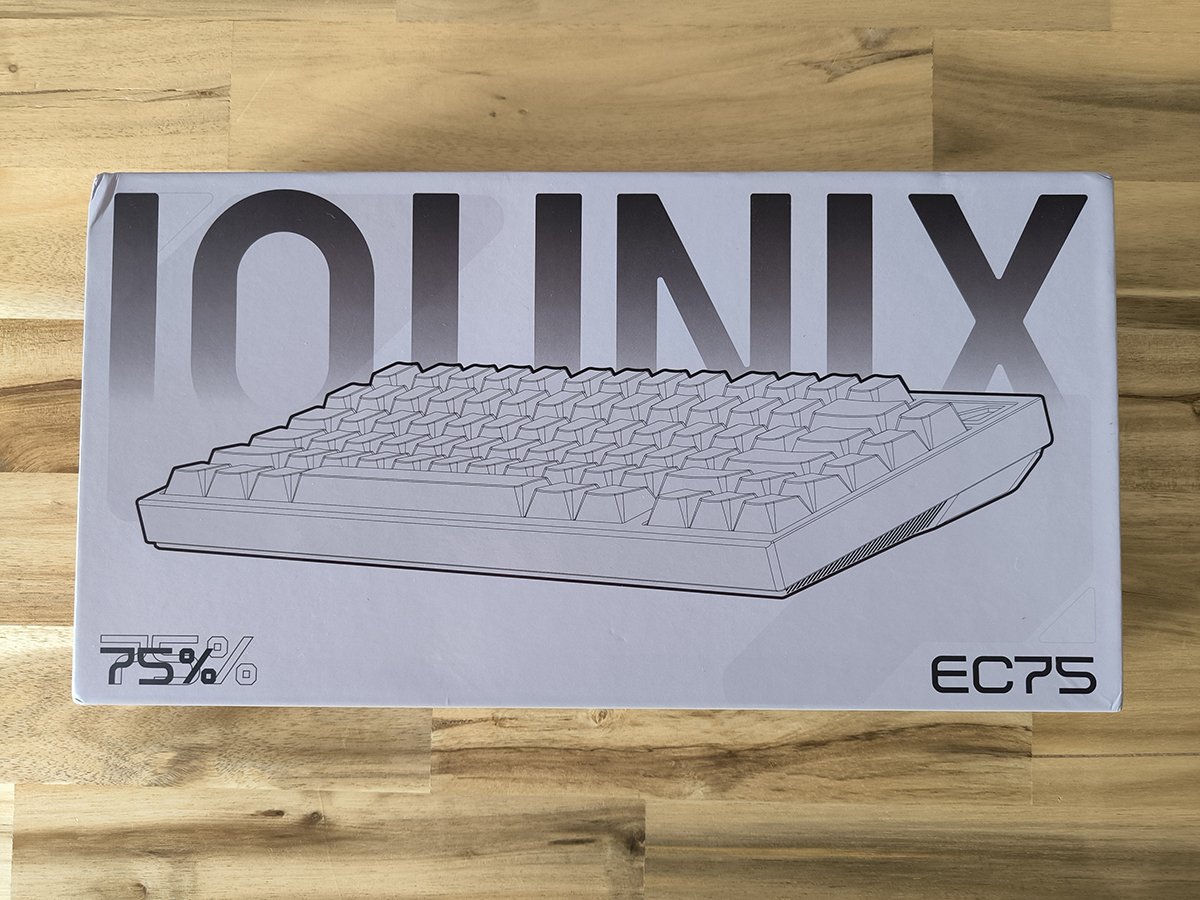
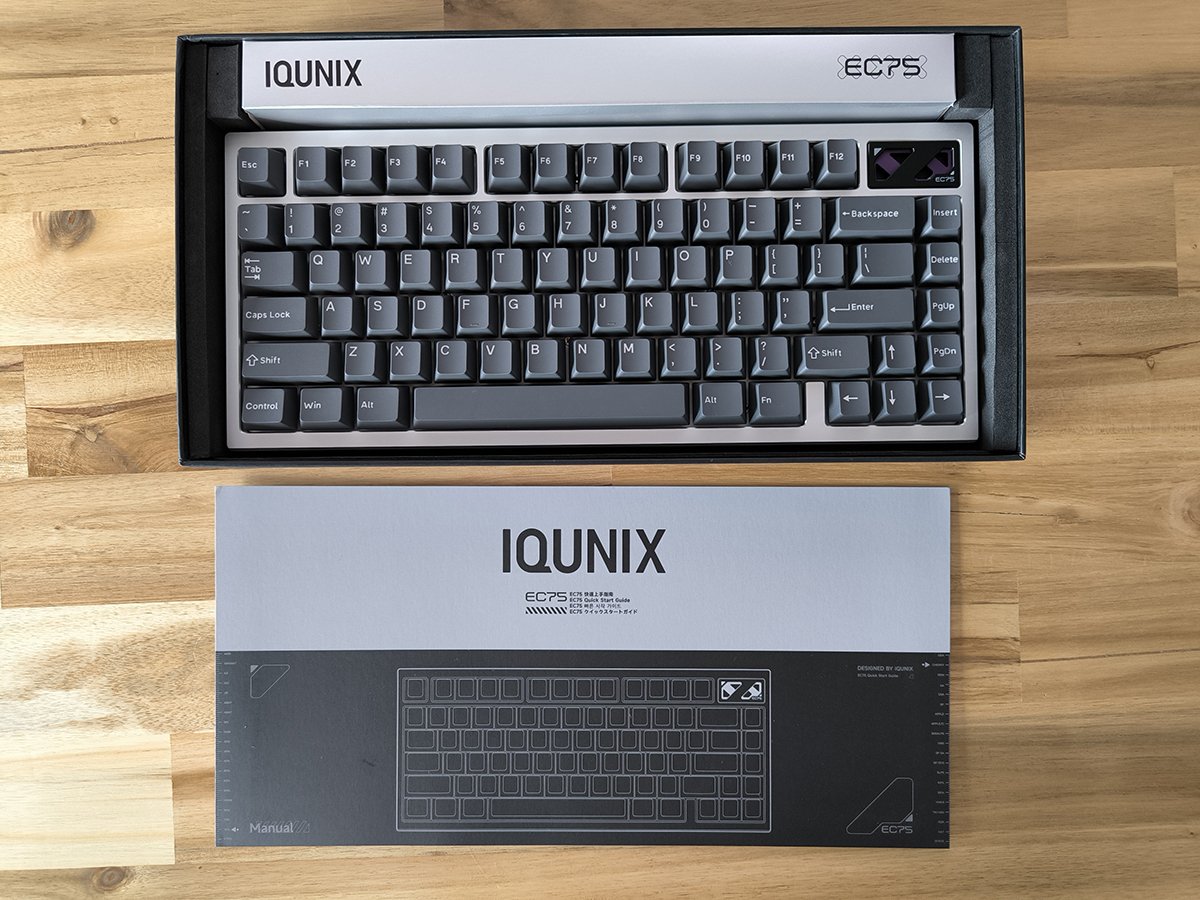
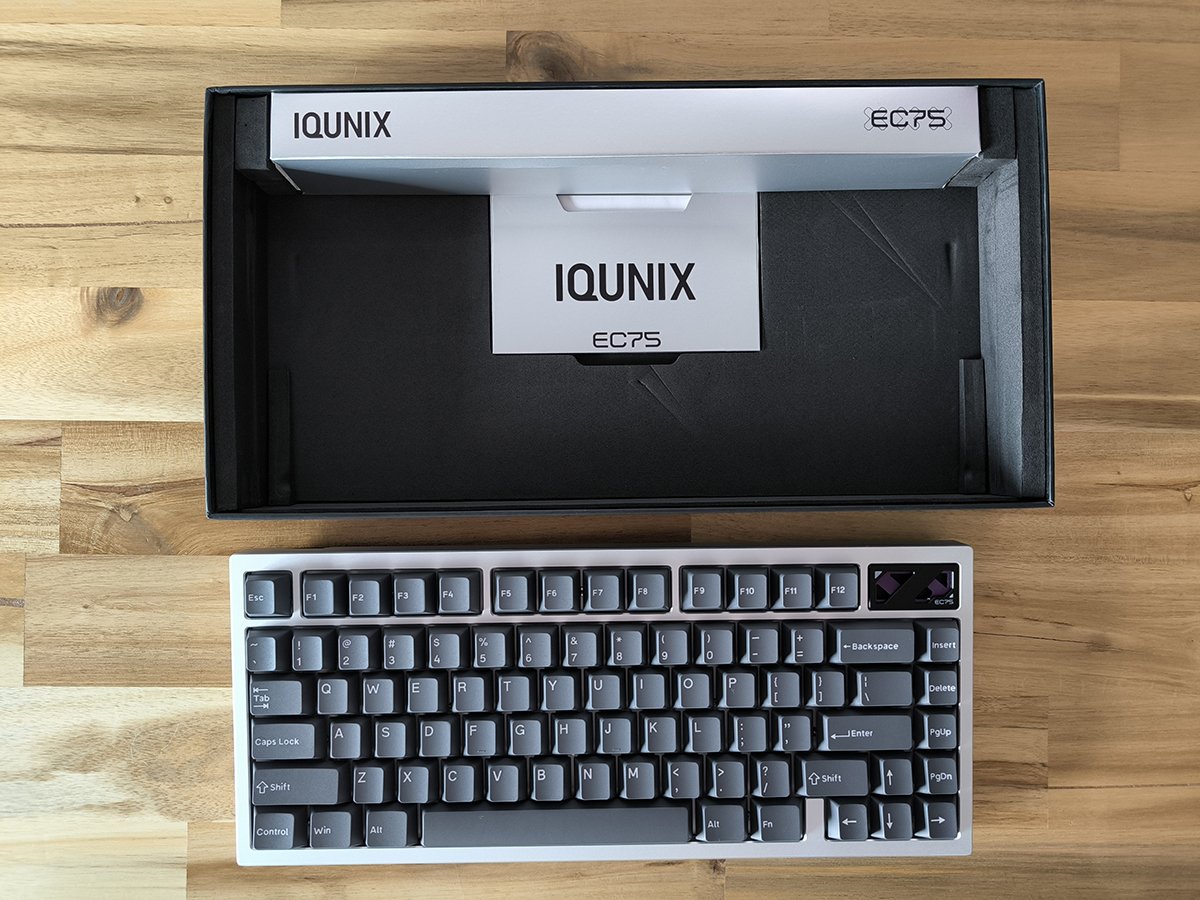
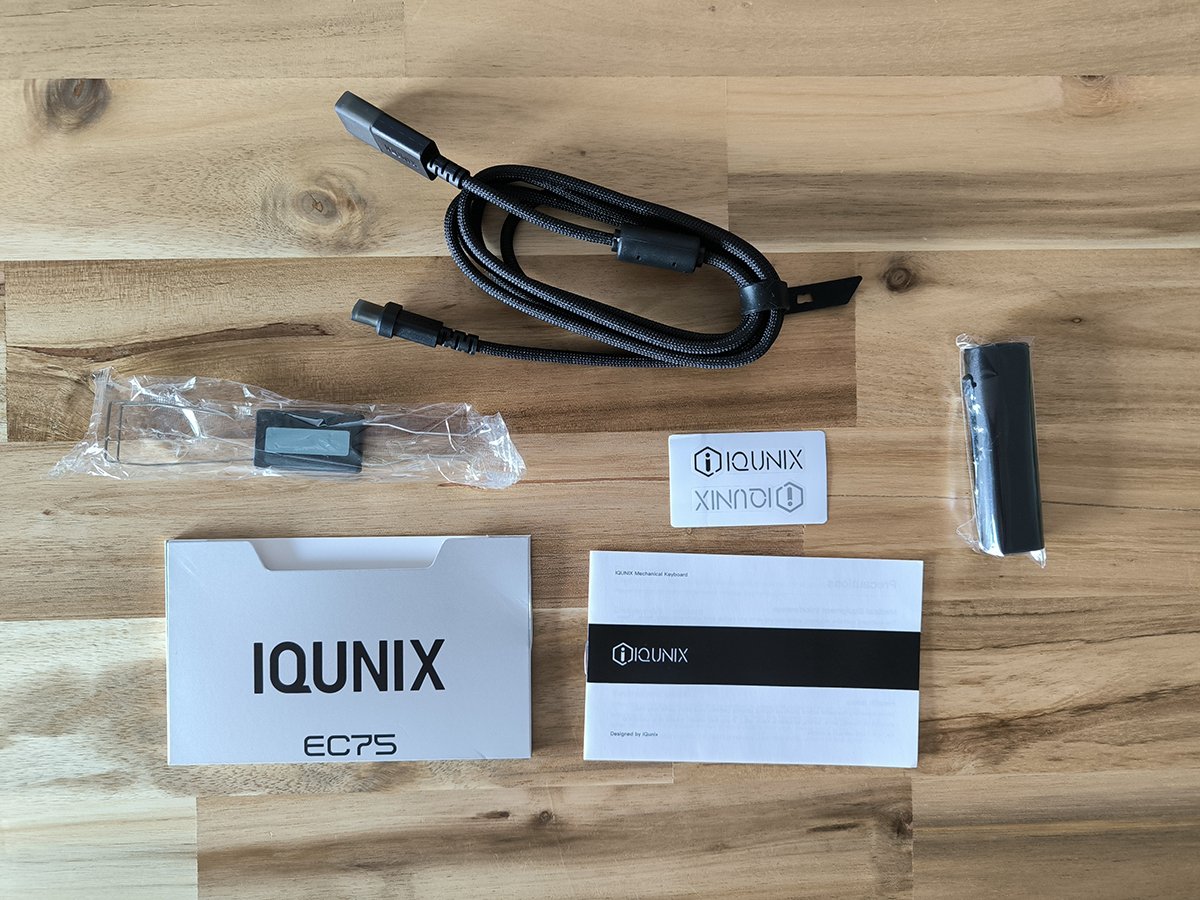
A gaming keyboard that doesn’t dress like one
Most gaming keyboards look like they were designed to be photographed next to an energy drink. Aggressive angles and fonts that look borrowed from a mecha anime’s title card are pretty much standard issue.
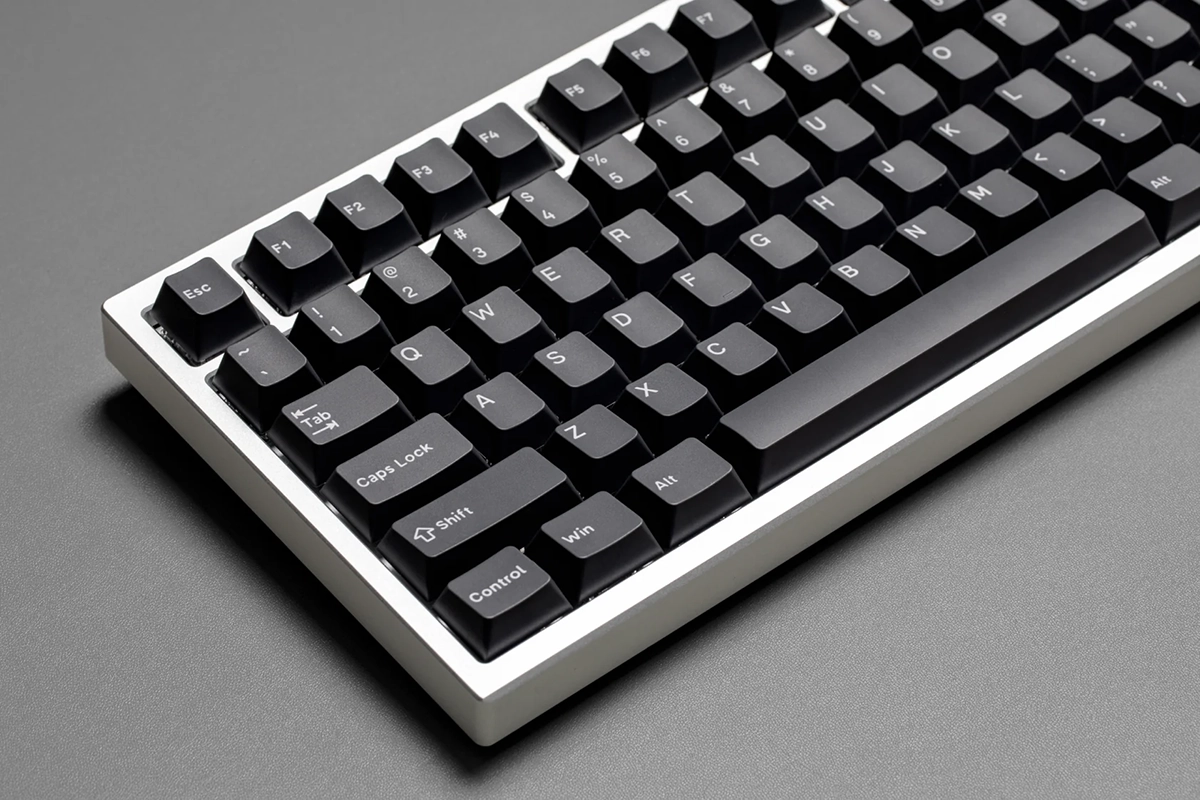
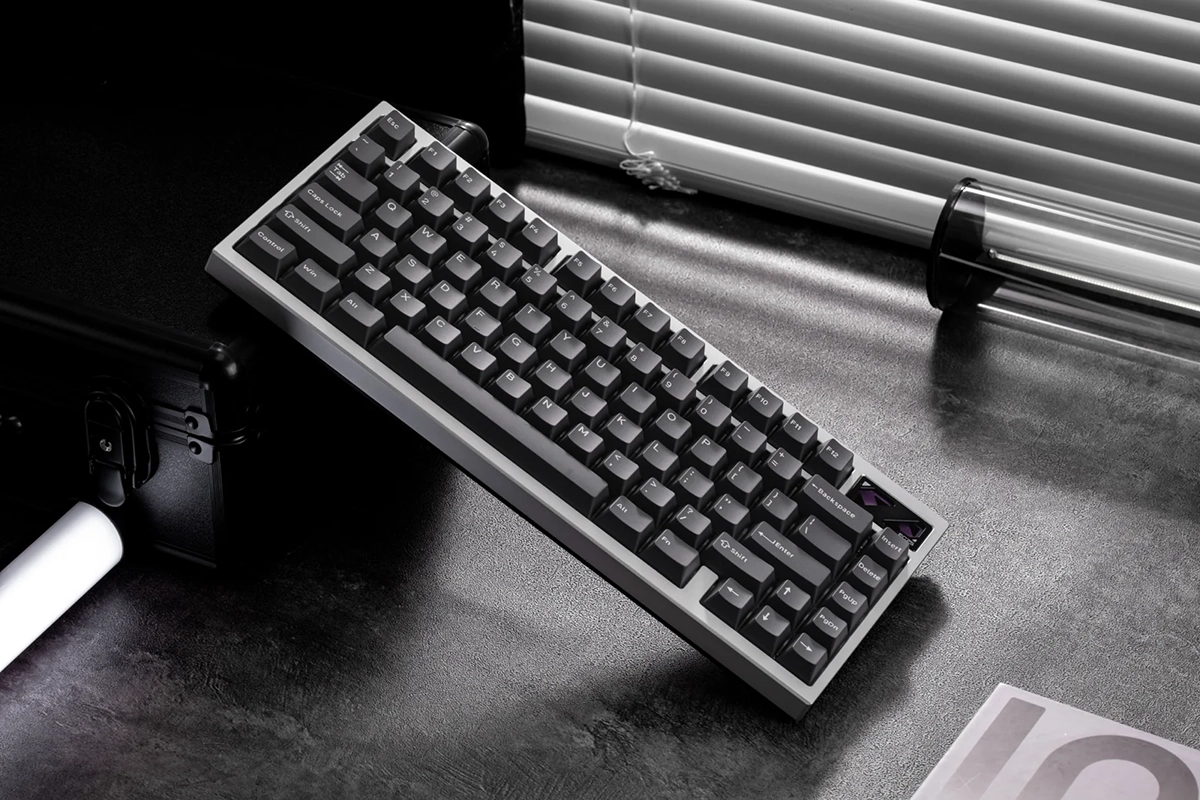
The EC75 goes the other way. My review unit is the Shadowblade colorway, which pairs a light gray aluminum frame with medium gray keycaps that aren’t too dark, and the whole thing looks minimalist and classy.
I much prefer that look. It would sit just as comfortably on a designer’s desk as it does next to my gaming setup, and nobody would guess it’s packing esports-level hardware inside.
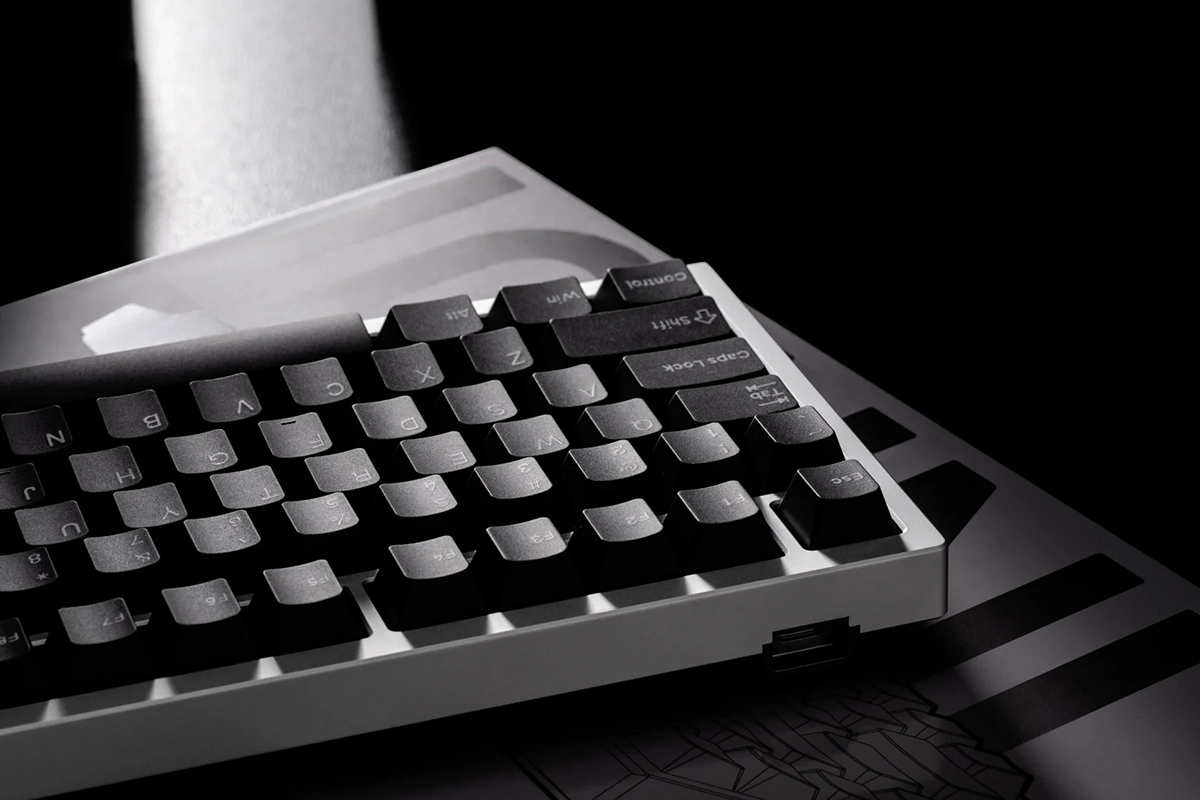
The PBT keycaps follow the same philosophy. The legends are clean and simple, the texture has that slightly dry, grippy feel PBT is known for, and they should hold up to years of use without developing the shiny finish that cheaper ABS caps get.
Then there’s the detail that gives the EC75 its personality: a layered metal design in the top right corner. It’s built from several stacked metal shapes, a bit like a piece of armor plating pried off a mech, and it gives the board an identity you won’t find on anything else.
That piece uses purple, which isn’t normally my color. It’s a restrained, Evangelion Unit-01 kind of purple though, and against the gray shell it looks special rather than loud, so it won me over pretty quickly.

Build quality you can feel
Pick up the EC75 and the first thing you notice is the weight. The CNC-machined, anodized aluminum top case sits on a polycarbonate bottom, and the whole board comes in at 1,003 grams.
That’s heavy enough that it doesn’t budge on the desk, even during frantic gaming. It’s not quite as hefty as my MQ80, which weighs around 1,180 grams, and part of that difference comes down to one simple thing: there’s no battery inside.
Underneath the keycaps, IQUNIX has stacked a lot of engineering into a small frame. The EC75 uses a gasket mount, which means the plate floats on soft cushioning instead of being bolted rigidly to the case, and that gives every keystroke a little bit of give.
Between the aluminum plate and the base are layers of PET switch pad, Poron foam, and silicone. The stabilizers are clip-in plate-mount stabs, and the spacebar and other long keys feel solid, with no rattle I could find.
There are also adjustable feet with three typing angles: 2.8, 6, and 10 degrees. It’s a small thing, but it’s nice to have options without stacking a book under the back of your keyboard.
The Diamond Pro switches: I’m a linear convert now
This is where the EC75 really earns its price. IQUNIX designed a custom switch for this board called the Diamond Pro, and it’s now my favorite switch, full stop.
The Diamond Pro is a Hall effect magnetic switch. Instead of two metal contacts touching to register a press, each switch has a magnet, and a sensor on the board measures exactly how far down the key has traveled.
Since there’s no physical contact wearing down over time, IQUNIX rates these switches for over 100 million keystrokes. More importantly for gaming, the keyboard knows the precise position of every key at every moment, which unlocks all the tricks we’ll talk about in the software section.
On the feel side, the Diamond Pro is a linear switch with an actuation force of 35gf, a bottom-out force of 50gf, and 3.3mm of total travel. It’s factory lubricated, and you can tell the moment you press a key.
Every press is smooth from top to bottom, with just enough resistance that my fingers never felt like they were falling through the keys. After a few days on the EC75, going back to a clicky board felt like trading a katana for a hammer.
The sound surprised me too. These switches are clacky and crisp, with a satisfying, well-defined sound on each press, but they’re quieter than I expected, so they won’t drive everyone else in the house up the wall.
The EC75 is also hot-swappable, and IQUNIX includes a keycap and switch puller in the box. Just keep in mind it only works with Hall effect switches, so your old mechanical switches won’t work here.
Speed where it counts
The spec sheet on the EC75 reads like a competitive shooter player’s wish list. It has an 8,000Hz polling rate, a 16,000Hz scan rate, and IQUNIX quotes latency as low as 0.125ms.
Polling rate is how often the keyboard reports to your PC, and most gaming keyboards have long sat at 1,000Hz. At 8,000Hz, the EC75 checks in eight times as often, so your inputs reach the game about as fast as current hardware allows.
You can also set the actuation point for each key anywhere from 0.01mm to 3.1mm. That means your movement keys can fire the instant you touch them, while a big cooldown ability waits for a deliberate full press so you never waste it by accident.
Then there’s Rapid Trigger, adjustable down to 0.01mm. On a normal keyboard, a key has to rise past a fixed point before it resets, but with Rapid Trigger the key resets the moment it starts moving up, so you can tap the same key over and over much faster.
I spent most of my time with the EC75 in Path of Exile, with some Doom Eternal and Skyrim mixed in. In Path of Exile, with its constant skill presses and flask taps, the keys responded so quickly that the board felt like an extension of my hands.
Doom Eternal was even more fun. That game rewards nonstop movement and fast weapon switching, and the EC75 kept up with every frantic dash around the arena without missing a beat.
This is also why the wired-only design makes sense. It threw me for a second when I first unboxed it, but if you’re buying a keyboard built around 8K polling and 0.125ms latency, you’d plug it in for the lowest latency possible anyway.

The software: SOCD, DKS, and a lot of dials to turn
The EC75 is configured through IQUNIX’s web-based software, which runs in your browser, so there’s nothing to install. It’s pretty amazing, and you can customize just about anything you can think of.
Lighting, key remapping, macros, actuation points, re-actuation points, and release points are all there. The board also stores two onboard profiles, so you can keep a gaming setup and an everyday setup ready to swap.
Two features deserve a closer look. The first is SOCD, which stands for Simultaneous Opposite Cardinal Directions.
SOCD decides what happens when you press two opposite directions at once, like A and D. Instead of cancelling each other out and leaving you standing still, the keyboard can prioritize the most recent key, which makes strafing in shooters snappier.
One heads-up: some competitive games have rules about this kind of feature. Valve cracked down on SOCD-style inputs in Counter-Strike 2 on official servers, so check the rules for whatever you play competitively.
The second feature is DKS, short for Dynamic Keystroke, and this is the one that had me grinning. DKS lets a single key perform up to four different actions depending on how far you press it down and when you release it.
The best example is movement. You could set up W so that a light press makes your character walk and a deeper press makes them run, much like easing an analog stick forward on a controller versus pushing it all the way.
Picture that in something like Skyrim, where sneaking up on a bandit camp and sprinting away from a dragon happen minutes apart. Having both on one key, controlled by how hard you press, is the kind of thing that makes Hall effect switches feel like more than a spec sheet flex.
There’s more beyond that too. Mod-Tap lets a key do one thing when tapped and another when held, and Toggle makes a key stay active until you press it again, which is great for auto-run or holding a crouch.

RGB I actually leave on
Here’s a confession: I turn RGB off on basically every keyboard I own. On wireless boards, lighting eats battery life, and I’d rather go longer between charges than have my desk glowing like a Tron set.
Since the EC75 is wired, battery life isn’t a concern, so for the first time in a long time I’ve left the lighting on. It has per-key RGB with south-facing LEDs and a big library of preset effects.
The surprise is how good it looks with the Shadowblade colors. The light gray metal and medium gray keycaps give the lighting a soft, elegant glow instead of a rave.
I haven’t gone wild with it. A subtle green and blue blend or a solid white has been my go-to, and both look fantastic on my desk, and they even pair nicely with that purple corner piece.
What to know before you buy
No keyboard is perfect, and there are a few things you should know before spending $159.99 on the EC75. None of them change how much I love it, but a couple did change how I use it.
First, the cable. The EC75 comes with a 1.5m L-shaped paracord USB-C cable that looks and feels premium, but my PC tower sits way off to the side of my desk and the cable doesn’t reach, so I’m using an extra-long USB cable I already had.
If your PC sits under your desk or right beside it, you’ll be fine. If your setup is spread out like mine, measure before your keyboard arrives.
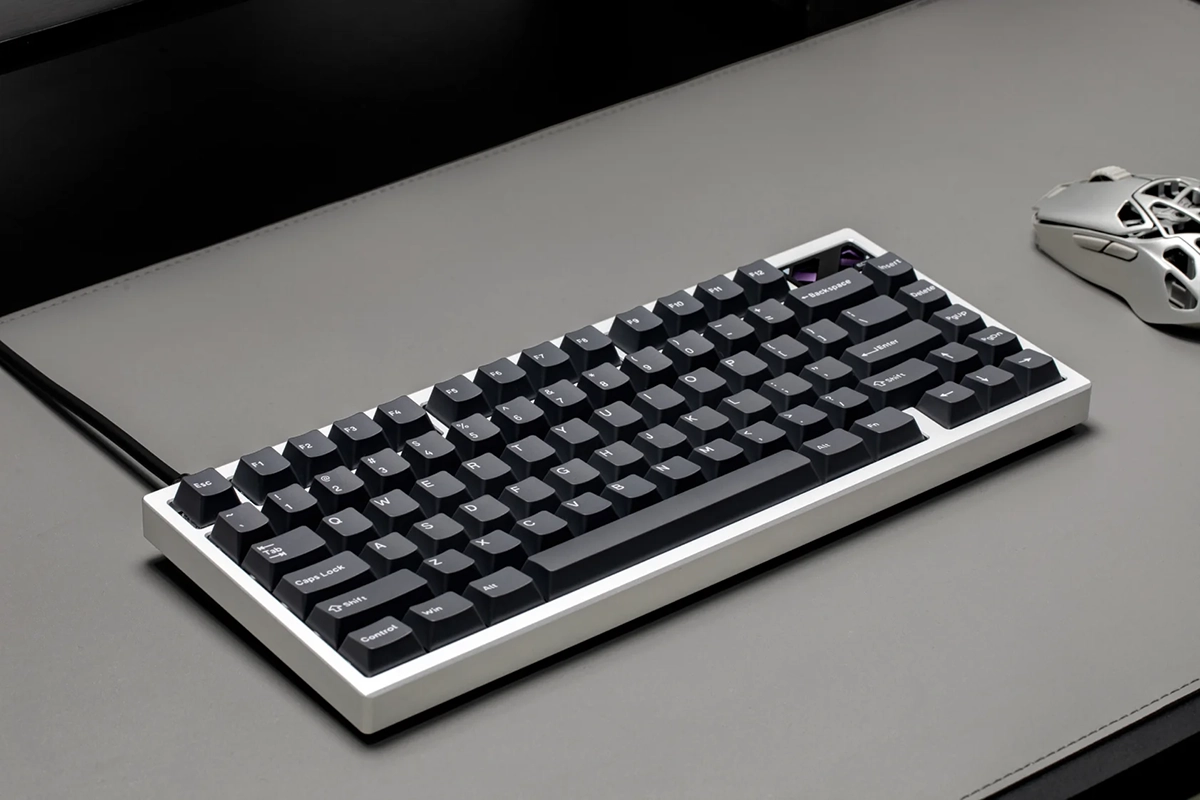
The bigger issue for me is the layout. That lovely metal design in the top right corner takes up real estate, so the EC75 has no Print Screen, Home, or End keys, and Insert and Delete have moved into the spots where you’d normally expect Home and End.
I’ve never used Home or End once in my life, so I won’t miss them. Print Screen is a different story, because I use it constantly for work screenshots in Windows, and my muscle memory reaches for that top corner without thinking.
I’ve tried a few workarounds, like putting Print Screen on the gesture button of my Logitech MX Master 4 mouse, but nothing has stuck yet. My next experiment is remapping Print Screen to the Insert key in the software, since Insert sits on its own near the top right and is easy to find without looking.
For now, that means the EC75 is my gaming keyboard, while my MQ80 is still handling daily work. If you rely on Print Screen, Home, or End, plan on remapping something.
There’s also no right Ctrl key, which doesn’t bother me at all since I never use it. You might feel differently if you use it for shortcuts or games.
In the box you get the keyboard, the paracord cable, a dust brush for keeping things clean, the keycap and switch puller, and a user manual. There are no Mac keycaps included, but the EC75 is built for PC gaming, so I don’t see that as much of a loss.
Verdict: my new gaming keyboard
The IQUNIX EC75 is the best keyboard I’ve ever used. Everything about it looks and feels premium, and it backs that up with some of the most responsive switches and deepest customization I’ve tried.
The Diamond Pro switches are the star, smooth and crisp on every single press. Add in the understated Shadowblade design, the gorgeous corner piece, and software that lets you tune every key down to a hundredth of a millimeter, and $159.99 feels more than justified.
It’s not for everyone, though. If you need wireless or lean on Print Screen as much as I do, you’ll have some adapting to do, and that matters more on a work keyboard than a gaming one.
For PC gaming at my desk, the EC75 is the keyboard I’ll be reaching for from now on. I’m still experimenting with ways to make it my full-time keyboard too, because I love the feel of these keys and the look of it on my desk that much.
If you’re shopping for a premium gaming keyboard and the layout works for you, I don’t think you’ll find anything better.
–
Images in this article are from the IQUNIX website and some are photographed by the author (the less professional looking ones).
Want to start your own blog, a personal website or something for your small business or side hustle? Site Ground is the absolute best web hosting company out there
You Might Also Like...
Mouse Polling Rate 1000 vs 2000 vs 8000 Explained (What It Really Changes, and What to Use)

Mouse polling rate is one of those settings that sounds insanely importan (like flipping from 1000 Hz to 8000 Hz should instantly turn you into an esports god) but in real life it’s more nuanced. If…
How to Force Borderless Fullscreen in PC Games (Every Method That Actually Works)
If you've ever tried to alt-tab out of a PC game and watched your screen freak out for a solid five seconds, you already know why borderless fullscreen mode exists. It's the sweet spot between…
How to Fix Xbox Controller Not Detected on Windows 11
So you've sat down for a gaming session, grabbed your Xbox controller, and… nothing. Windows 11 acts like it doesn't exist. No vibration, no light, no input. Don't worry, you're not alone, and this…
Japanese Rural Life Adventure: Beginner Tips You Need to Know

Japanese Rural Life Adventure has finally made the jump from Apple Arcade to Steam, and if you're a fan of cozy farming sims like Stardew Valley or Harvest Moon, this one absolutely deserves a spot…
Under the Island Tips: The Ultimate Beginner’s Guide to Seashell Island
If you're just stepping onto Seashell Island for the first time, you're in for a treat. Under the Island is a 2D top-down action-adventure that wears its classic Zelda inspiration proudly, mixing…
Retrace the Light Tips: A Beginner’s Guide With Puzzle, Combat, and Exploration Tricks

If you’re looking for Retrace the Light tips or a quick beginner’s guide to Retrace the Light, the biggest thing to know is this: the game is built around a mindset shift. It’s not just “solve…
18 Indie Games that are Better than Most AAA Major Releases
Last updated December 31, 2025. There's been a massive explosion of amazing indie games in recent years. Having an alternative to the massive AAA games is always a good thing and many of these indie…
All Unicorn Overlord Characters: Recruitment Guide, Builds, and Missables
This master post rounds up every recruitable character in Unicorn Overlord, with an alphabetical list linked to a detailed guide for each character. You’ll also find practical tips on recruiting,…
The Top 10 Nintendo 64 Games You Need to Play
The Nintendo 64 launched after the Super Nintendo in 1996 and was Nintendo's first console with fully 3D 64-bit graphics. It's one of the most famous and well-recognized systems in videogame history,…
Golden Sun Djinn Guide and Djinn Location Guide
The Djinn system in the Game Boy Advance classic, Golden Sun, introduces a novel and intricate layer to the traditional RPG formula, setting it apart from its contemporaries. This system not only…
The Top 10 Super Nintendo Games You Still Need to Play
The Super Nintendo Entertainment System (SNES) is a legendary video game console that holds a special place in the hearts of gamers around the world. Released by Nintendo in 1990 (in Japan) and 1991…