
I’ve been hunting for the perfect keyboard for years.
And I mean years, trying different layouts, different switch types, different “premium” boards that were almost right… but always had one or two things that kept them from becoming my permanent, daily driver.
The IQUNIX MQ80 is the closest I’ve gotten.
After spending over a week using it heavily for work, I can honestly say this keyboard is about 98% perfect for me, and that’s not something I say lightly.
It nails the premium feel, the sound, the typing comfort, and (crucially) the “I’m going to keep using this forever” factor.
It’s quite not flawless, and I’ll talk about the couple of nitpicks I have, but overall? This is an easy recommendation if you’re looking for a high-end low-profile board that feels like it belongs on a serious desk setup.
Let’s get into it.
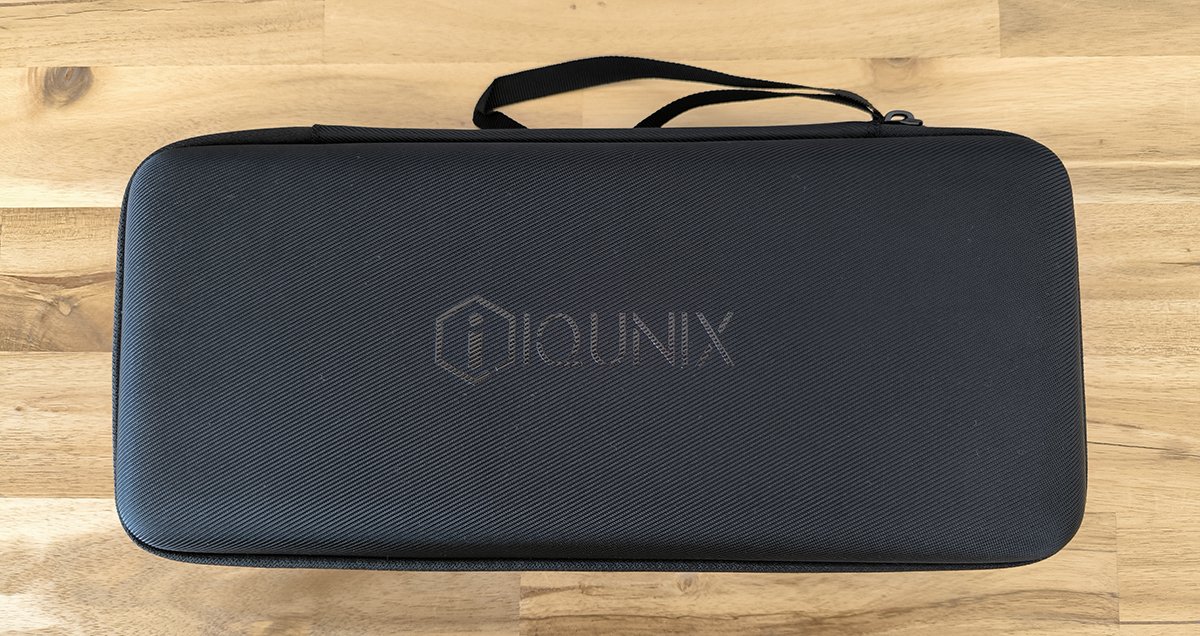
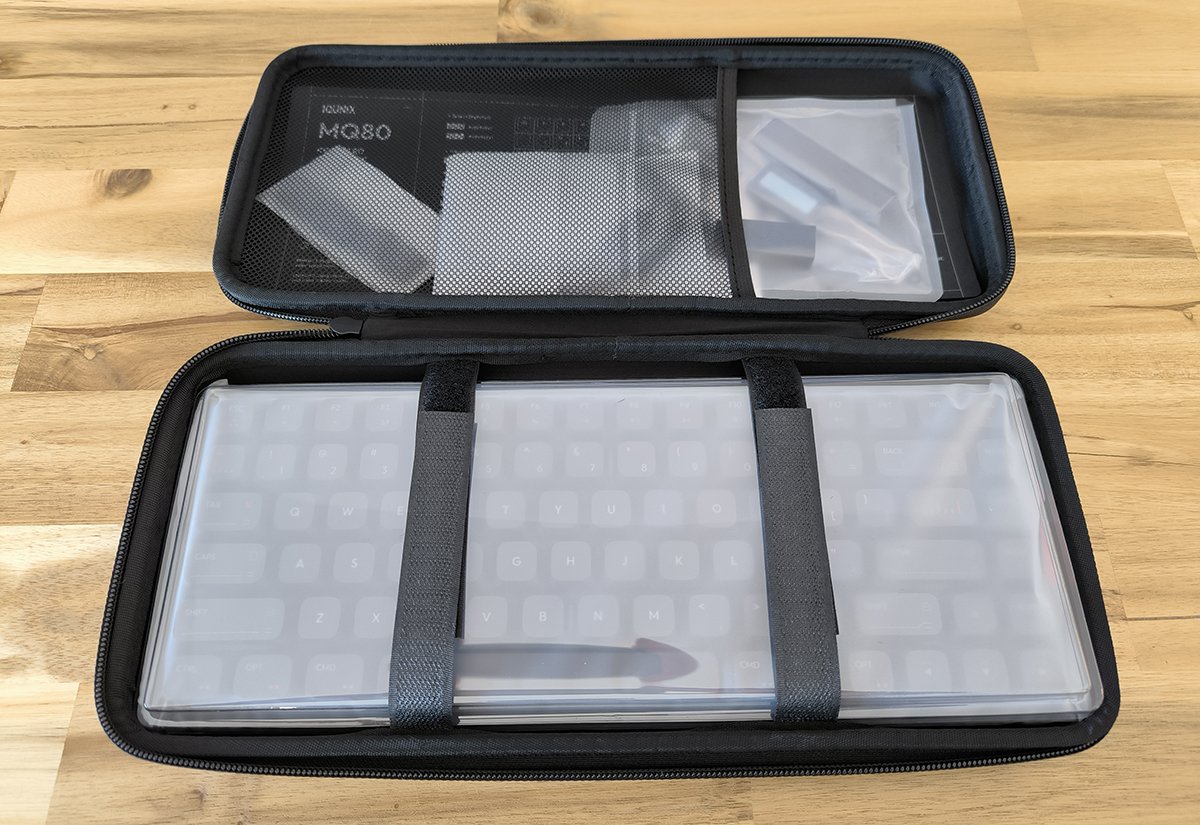
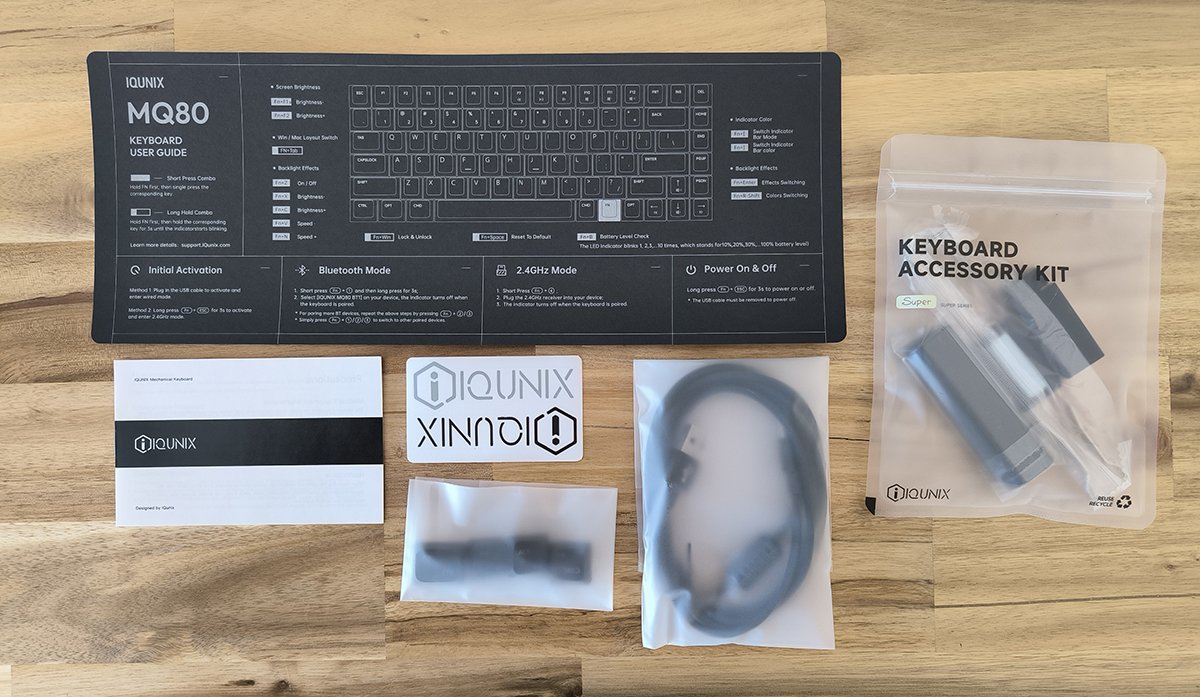


First Impressions: The Unboxing Kind of Blew Me Away
I’m not exaggerating when I say my first impressions of the MQ80 were borderline luxury product vibes.
It arrived in a beautiful zippered case, which already felt like a step above the usual “cardboard box with foam” situation. But the real moment was opening it up.
Inside, the keyboard was strapped down in the bottom section like it was being transported for a mission.
Up top, there was a pocket that held the instructions (nicely stored, not just tossed in), and there were several accessories I didn’t expect to see including a tool to remove keycaps and switches as well as a nice little brush to clean between the keys.
It’s one of those small things that immediately changes how you perceive the product: it’s not just “here’s the keyboard,” it’s “here’s the keyboard and we thought about the whole experience.”
And honestly? That matters. Especially at this price tier.
If you’re buying something premium, you want the whole package to feel premium.
MQ80 absolutely delivers on that first impression. My photos aren’t the best but hopefully they give you an idea.
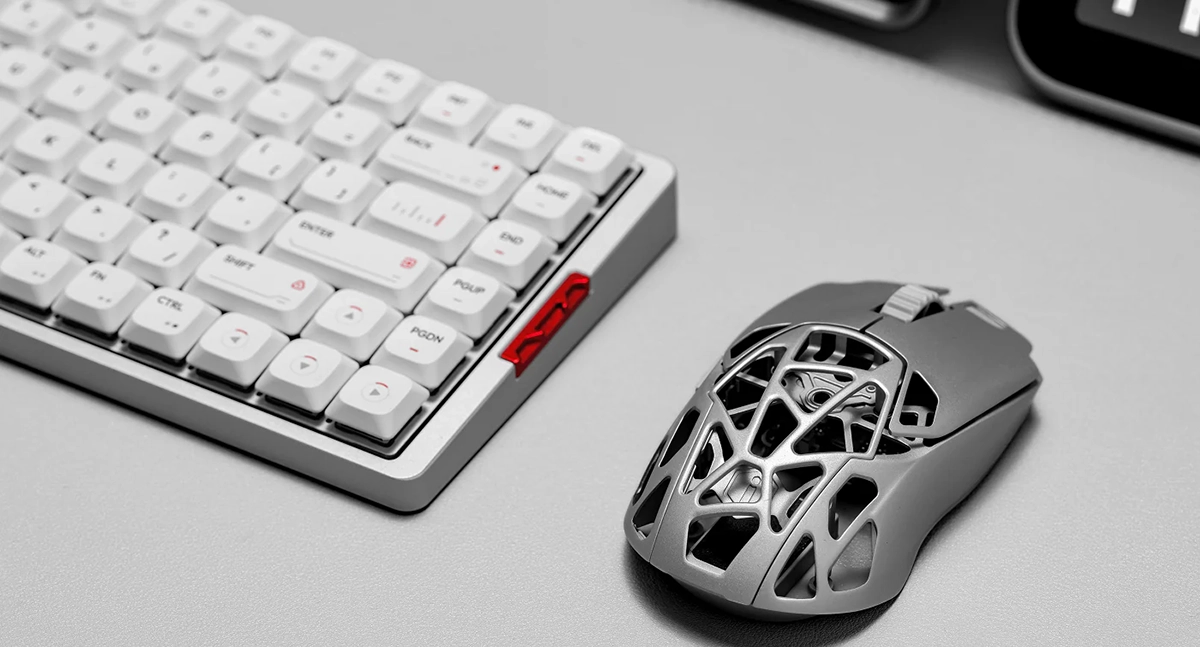
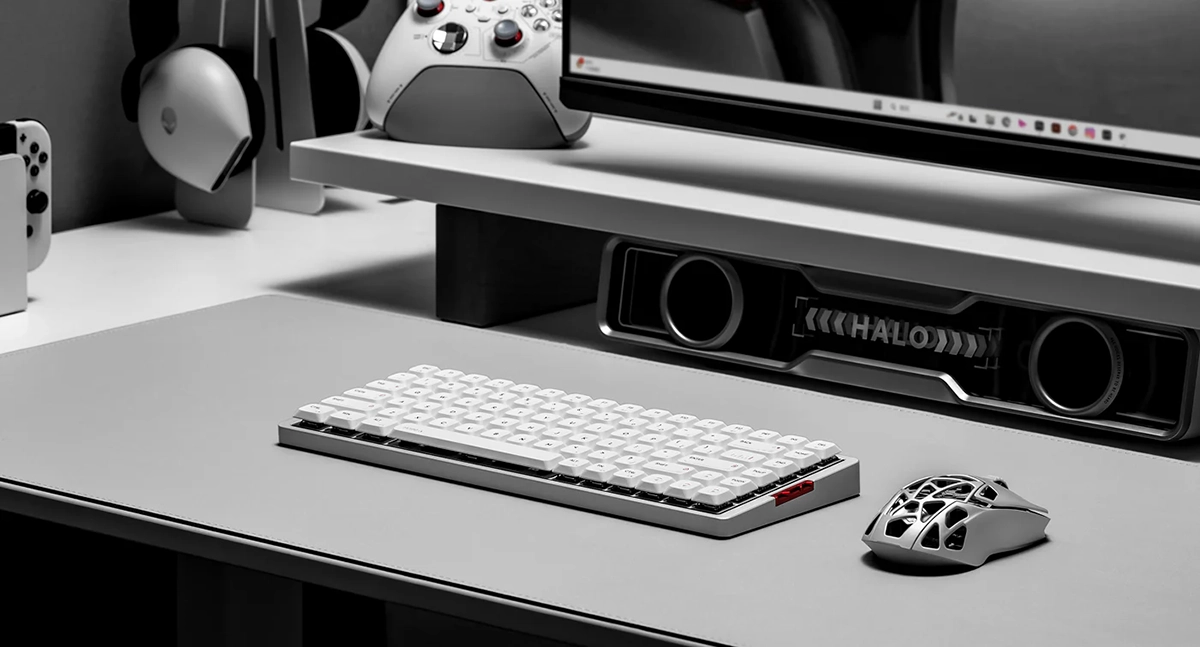
The keyboard comes in two different color options, Shadow Black with a black frame and black keys and Moonlight Silver with a silver frame and white keys. I got the Shadow Black version.

Full Aluminum Body: Heavy, Smooth, and Genuinely Premium
Let’s talk about the build, because this is where the MQ80 immediately separates itself from a lot of low-profile boards.
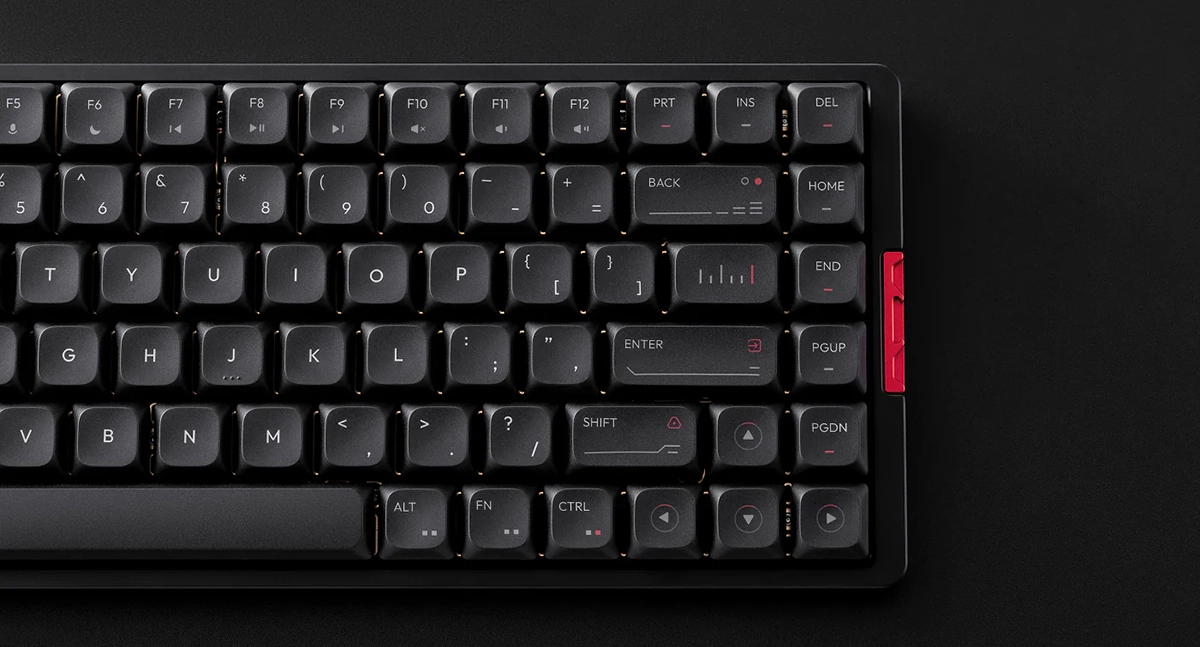
The body is fully aluminum, and it looks and feels fantastic. Mine is this gorgeous black metal that’s smooth to the touch, clean-looking on a desk, and has that “this is a serious tool” aesthetic without being flashy.
It also has a 180-grit anodized finish, which is one of those nerdy details that actually shows up in day-to-day use. The surface feels refined and consistent. There’s no weird texture, no cheap “painted metal” vibe. It’s just a really nice piece of aluminum that looks like it was finished properly.
And then there’s the weight.
This keyboard is heavy. Like, pick-it-up-and-you-go “oh wow” heavy.
That heaviness makes it feel incredibly premium, and it also means it doesn’t slide around. It stays planted, anchored, stable.
If you’re the kind of person who nudges their keyboard even slightly and gets annoyed when it shifts, you’re going to love this.
Now, yes, if you were planning on throwing this into a backpack and commuting with it daily, the weight might be a downside. But for me, this keyboard is staying permanently on my desk, so the heft is not just fine, it’s a feature.
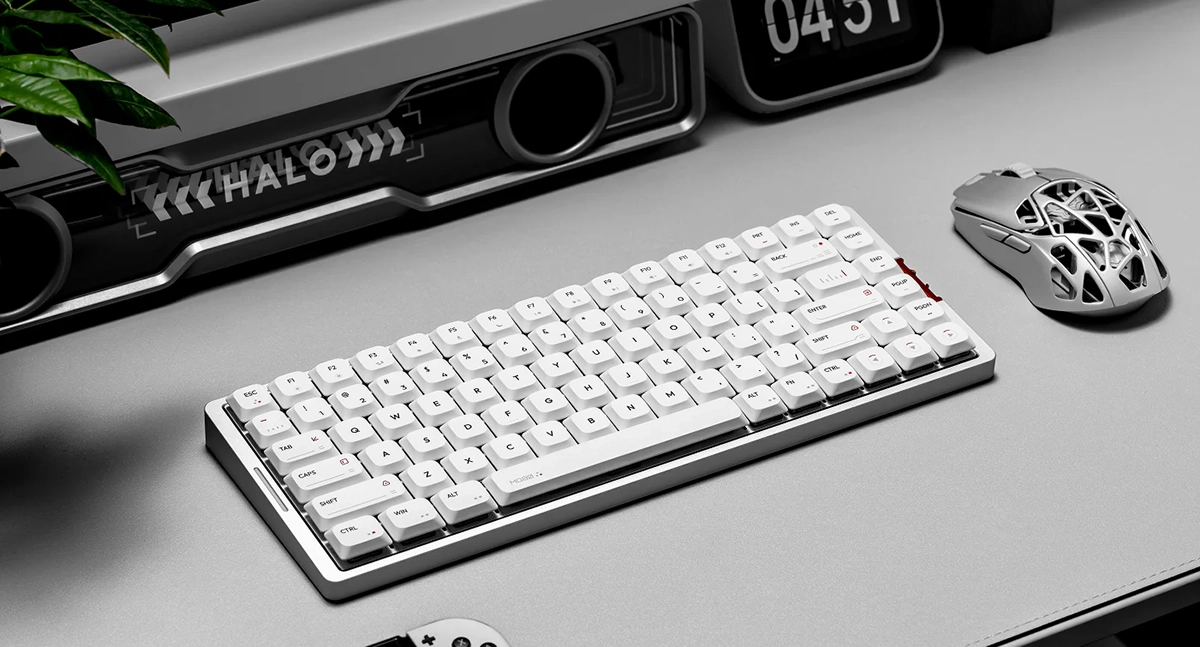
The Layout: 80 Keys, No Numpad, and That’s Exactly What I Want
The MQ80 uses an 80-key layout, meaning you don’t get a numpad.
For me, this is the ideal size. It keeps the board compact enough to free up mouse space and make the desk feel cleaner, while still giving you a layout that feels “complete.”
I never use a numpad, so I don’t miss it at all.
That said: if you rely on a numpad for work (data entry, accounting, spreadsheets all day) this probably isn’t your keyboard. That’s not a flaw, it’s just a layout choice, and you should know it going in.
If 80%/TKL-style is your sweet spot though? MQ80 fits beautifully.
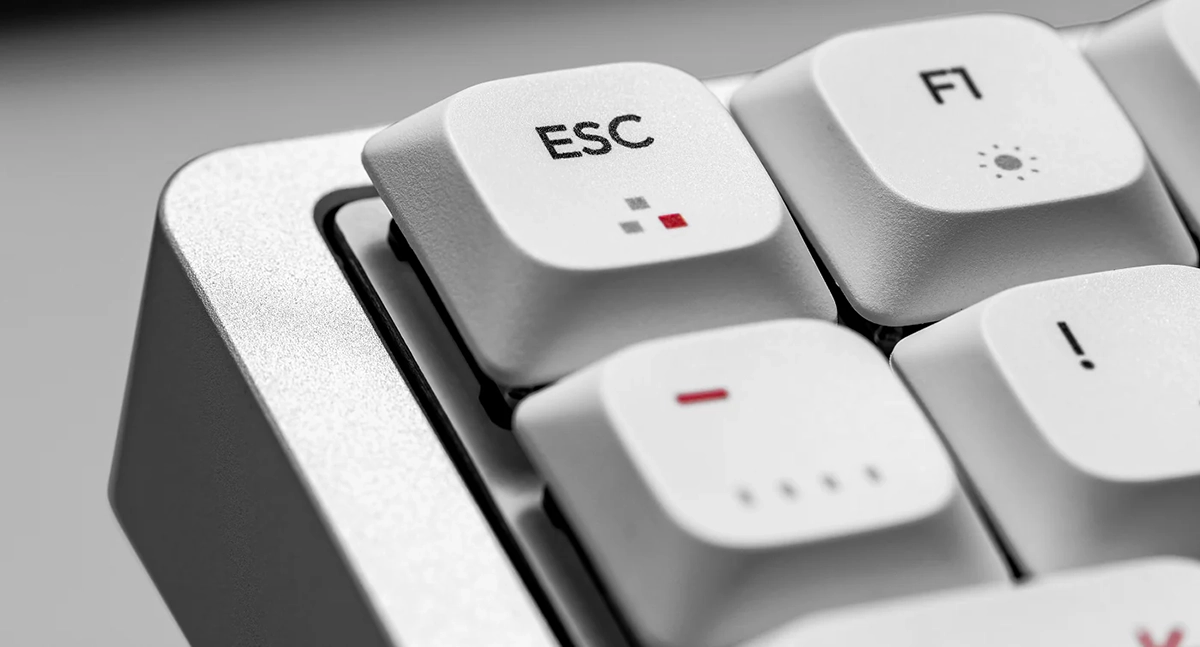
PBT Keycaps: Beautiful, Durable, and Better Than I Expected
I’m going to be blunt: I think the keycaps are beautiful.
I was slightly worried at first because the design includes some red accents and little graphic elements, and I thought it might end up looking too busy… but somehow it doesn’t.
It lands in this really nice spot where it has personality, but still feels minimal-ish, which is always the vibe I’m chasing.
A couple key things stood out immediately:
They look clean, not loud
The legends aren’t ultra-bright, harsh white, they’re more of a light grey, which makes the whole board feel softer and more refined.
And importantly: they’re still very readable, even in a somewhat darker room.
And for context, they’re nowhere near as hard to read as the stock keycaps on some other keyboards I’ve used in the past.
They’re built to stay nice over time
These are high-quality PBT caps, and they’re designed to resist the two things that ruin keycaps for a lot of people: wear and oil shine.
They’ve got a coating that helps prevent that greasy buildup look, so they keep that clean, premium appearance longer.
The legends are also made in a way that keeps them looking sharp.
Instead of printing that can fade, they use a process that basically “bakes” the legends into the cap in a long-lasting way, so they remain clear and vibrant over time.
Slightly smaller caps = a cool visual bonus
This surprised me: the keycaps feel like they might be slightly smaller than some other boards I’ve used, which means there’s a little more visible gap between keys.
Normally that would be a neutral detail, but here it creates this awesome little effect: you can see a neat gold accent from the FR-4 gold-plated plate underneath. It’s subtle, but it adds this premium “hidden detail” vibe that looks great in person.
Overall, I ended up very impressed with the keycaps.
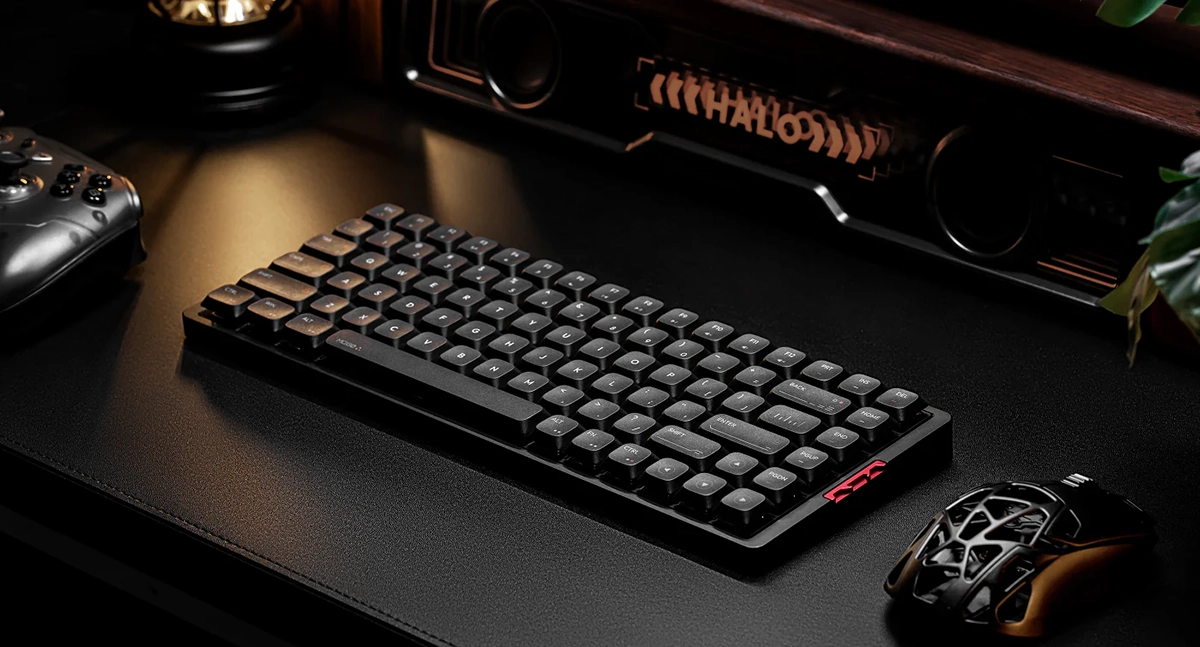
The “Soft Landing” Feel: Gasket-ish Comfort + Five Layers of Dampening
Low-profile keyboards can be tricky.
A lot of them feel great at first, but then you realize they bottom out against something hard, and the typing experience ends up feeling kind of… sharp. Or hollow. Or plasticky. Or all of the above.
The MQ80 doesn’t feel like that.
One of the big design goals here is giving you a softer bottom-out and a more satisfying sound profile, instead of that harsh “smack” you get when low-profile switches hit a hard surface. The MQ80 has a mount approach that’s engineered to create more room for a cushioned bottom-out inside a compact low-profile layout, which translates into a noticeably softer impact and a more “creamy” sound.
And then there’s the internal stack.
There are five layers of sound dampening under the keys, and it’s not just marketing fluff, you can actually feel it. If you press down hard, you can literally see that your force is being absorbed into the layers instead of transferring into a hollow case.
Here are the layers:
- FR4 Gold-Plated Plate
- Poron PCB Foam
- IXPE Switch Pad
- PET Switch Sheet
- Poron Bottom Case Foam
The result is exactly what I want from a work keyboard: a typing feel that’s soft, refined, and comfortable for long sessions, plus a sound that’s richer and cleaner, without that hollow, plasticky “echo” that a lot of low-profile boards suffer from.
If your current board suffers from spring ping, our guide on fixing keyboard ping without foam covers several easy solutions.
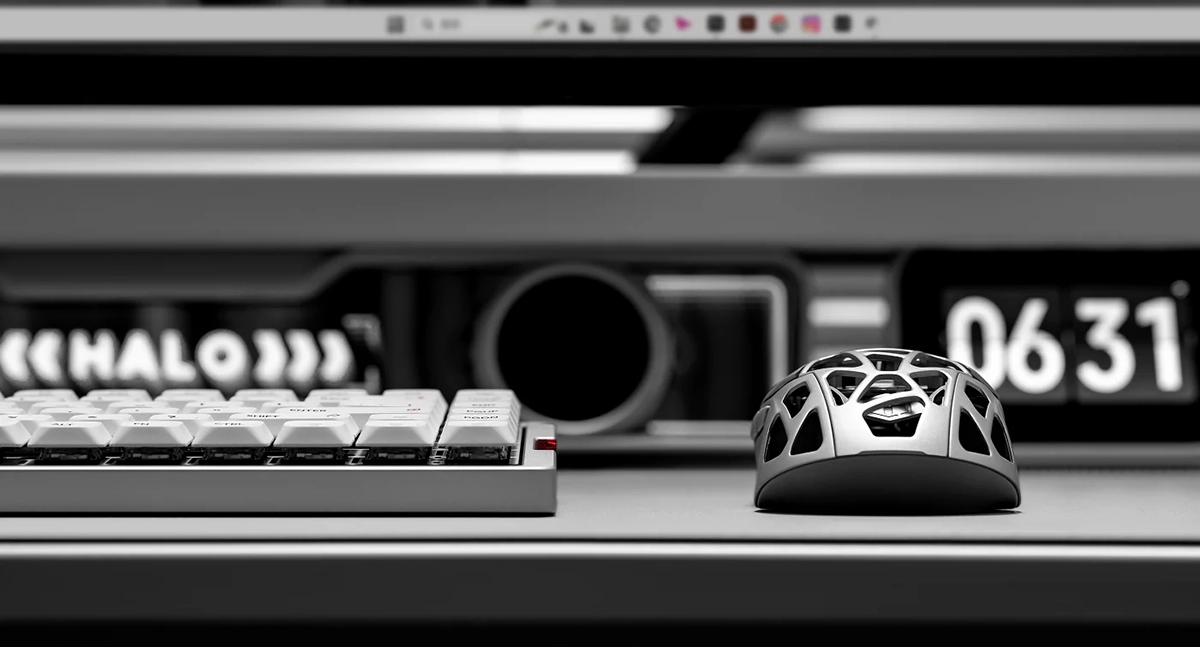
The Switches: The Surprise MVP That Converted Me on Linears
This is the part I didn’t expect.
Until now, I genuinely thought I didn’t like linear switches. I’ve always assumed I’m a tactile or clicky person.
In fact, the best switches I’ve tried so far have been the Kailh Deep Sea Silent Tactile Whale switches, which I love.
But the MQ80 uses Kailh POM Gold Red Linear Switches, and… I can’t believe I’m saying this, but these might actually be better. Or at least so close that I haven’t fully decided which I like more.
Here’s why they surprised me:
- They have a light actuation force (around 40gf), so typing feels effortless and fatigue-free
- The POM materials create a low-friction, super smooth keystroke
- They’re built for long-term durability (rated for a very high keystroke lifespan)
- The travel and actuation distance are tuned for speed and comfort, which makes typing feel precise and efficient
In real usage: I’ve been using this keyboard heavily for work for over a week, and I genuinely enjoy typing on it.
The sound and feel are both excellent, and it’s the first time in a long time I’ve had a linear switch make me go, “Okay… I get it now.”
Hot-swappable, with great tools included
Another huge win: the switches are hot-swappable.
So if you do want to experiment, you can. The keyboard comes with a really nice tool for removing both keycaps and switches, and the whole experience feels like it’s designed for people who actually like keyboards, not just people who want something pretty.
I briefly thought about swapping in my favorite tactile whales, but honestly? I think I’m sticking with the POM Gold Reds.
They’re too good.
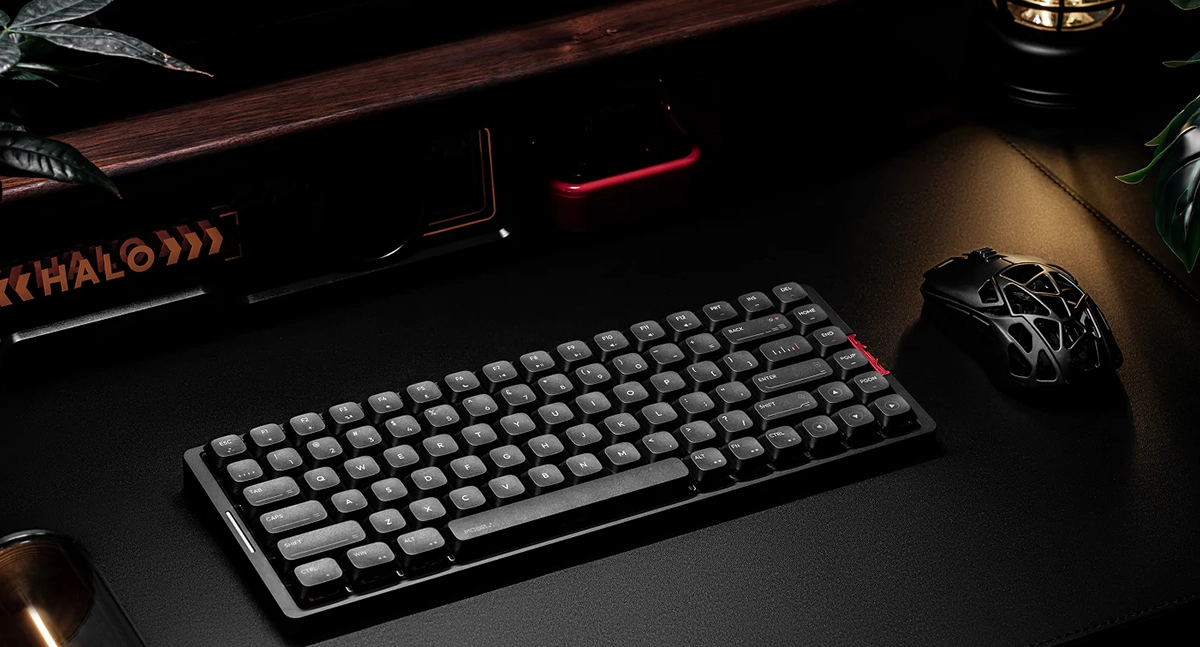
RGB Lighting: Tons of Options (Even If You’re Not an RGB Person)
If you like RGB, the MQ80 has you covered in a big way with tons of effects, and basically every color you could want.
It’s the kind of board where you can go full “immersive light show” or keep it classy and minimal.
I fooled around with the effects for a while and they’re genuinely cool.
But personally, I’m not a huge RGB fan long-term, especially on a work keyboard. So I turned most of it off mainly to extend battery life.
That said, I did leave a subtle white pulsing light on the LED on the left side.
It’s just interesting enough without being distracting, and it adds a little life to the board without turning my desk into a rave.
Windows + Mac Support, VIA Remapping, and the One Near-Dealbreaker
The MQ80 works with both Windows and macOS, and it comes set to macOS mode out of the box. Switching to Windows mode is easy, and it includes keys to replace the Mac ones like Option or Command.
But I did notice one thing that almost made me panic:
When you switch it to Windows mode, the top row (function/media combo keys) defaults to function keys, meaning you have to hold FN to use media controls.
That’s a dealbreaker for me. I use media keys constantly.
Fortunately, this is where VIA saved the day.
VIA customization: crisis averted
Using VIA, it was incredibly easy to reprogram the layers so that media keys are the default, and you hold FN to access function keys. Perfect. Exactly how I want it.
And once I was in VIA, I went deeper:
- I remapped my search/F4 key to open PowerToys Run (instead of the default Windows search) using Microsoft PowerToys
- I set F3 to Task View, which I use constantly
- I mapped the mic key to mute whichever microphone is currently active which is super useful for calls, especially in apps like Zoom where mute/unmute can be annoying if the window isn’t focused
Now the MQ80 isn’t just a keyboard I like typing on, it’s a keyboard that’s customized for my workflow in a way that makes it feel made for me.
Battery Life: 350 Hours Claimed, and So Far It’s Living Up to the Hype
The MQ80 claims 350 hours of battery life, and so far, that doesn’t feel unrealistic.
It’s been over a week of heavy work use and I haven’t had to charge it yet.
I do have most lighting turned off, which obviously helps, but still, this is the kind of battery performance I love because it removes friction.
I don’t want to think about charging my keyboard. I just want it to work.
So far? It does.
The Only Things I Don’t Absolutely Love
Remember when I said this keyboard is 98% perfect for me? This is where the missing 2% lives.
The red metal accent piece on the right
I’m a minimalist. I like clean, neutral, understated setups.
There’s a little red metal accent piece on the right side, and it’s the only part of the board that doesn’t fully match my personal taste. It’s not ugly or anything, it’s just not my favorite detail.
If IQUNIX offered swappable accent pieces, that would be amazing. I’d love a black-on-black option, or even something like gold or silver.
Keycaps could be slightly more minimalist (for my taste)
I actually like the current keycaps a lot, more than I expected.
But because I’m obsessive about minimalism, I can imagine eventually swapping to something even cleaner. The good news is that keycaps are always a “later” upgrade, not a real downside.
I do have to just mention there’s no numpad
This is only a “con” for certain people. For me it’s a pro. But it’s worth saying again: if you need a numpad, this isn’t the right keyboard for your job.

Final Verdict: My New Main Work Keyboard
For years, I’ve been looking for the perfect keyboard… and I’m still not sure perfection actually exists.
But the IQUNIX MQ80 comes closer than anything I’ve used so far.
Between the premium unboxing, the gorgeous full aluminum body with that 180-grit anodized finish, the surprisingly excellent PBT keycaps, the soft and satisfying dampened typing feel, the linear switches that somehow converted me, the easy VIA customization that fixed my only functional complaint, and the battery life that just keeps going…
Yeah. I’m sold.
This is absolutely my main keyboard for work from now on, and I can’t recommend it enough, especially if you want a low-profile board that doesn’t feel like a compromise.
–
Images in this post are either from the IQUNIX website and used under Fair Use or were photographed by the author.
Want to start your own blog, a personal website or something for your small business or side hustle? Site Ground is the absolute best web hosting company out there
You Might Also Like...
Mouse Polling Rate 1000 vs 2000 vs 8000 Explained (What It Really Changes, and What to Use)

Mouse polling rate is one of those settings that sounds insanely importan (like flipping from 1000 Hz to 8000 Hz should instantly turn you into an esports god) but in real life it’s more nuanced. If…
How to Force Borderless Fullscreen in PC Games (Every Method That Actually Works)
If you've ever tried to alt-tab out of a PC game and watched your screen freak out for a solid five seconds, you already know why borderless fullscreen mode exists. It's the sweet spot between…
How to Fix Xbox Controller Not Detected on Windows 11
So you've sat down for a gaming session, grabbed your Xbox controller, and… nothing. Windows 11 acts like it doesn't exist. No vibration, no light, no input. Don't worry, you're not alone, and this…
Japanese Rural Life Adventure: Beginner Tips You Need to Know

Japanese Rural Life Adventure has finally made the jump from Apple Arcade to Steam, and if you're a fan of cozy farming sims like Stardew Valley or Harvest Moon, this one absolutely deserves a spot…
Under the Island Tips: The Ultimate Beginner’s Guide to Seashell Island
If you're just stepping onto Seashell Island for the first time, you're in for a treat. Under the Island is a 2D top-down action-adventure that wears its classic Zelda inspiration proudly, mixing…
Retrace the Light Tips: A Beginner’s Guide With Puzzle, Combat, and Exploration Tricks

If you’re looking for Retrace the Light tips or a quick beginner’s guide to Retrace the Light, the biggest thing to know is this: the game is built around a mindset shift. It’s not just “solve…
18 Indie Games that are Better than Most AAA Major Releases
Last updated December 31, 2025. There's been a massive explosion of amazing indie games in recent years. Having an alternative to the massive AAA games is always a good thing and many of these indie…
All Unicorn Overlord Characters: Recruitment Guide, Builds, and Missables
This master post rounds up every recruitable character in Unicorn Overlord, with an alphabetical list linked to a detailed guide for each character. You’ll also find practical tips on recruiting,…
The Top 10 Nintendo 64 Games You Need to Play
The Nintendo 64 launched after the Super Nintendo in 1996 and was Nintendo's first console with fully 3D 64-bit graphics. It's one of the most famous and well-recognized systems in videogame history,…
Golden Sun Djinn Guide and Djinn Location Guide
The Djinn system in the Game Boy Advance classic, Golden Sun, introduces a novel and intricate layer to the traditional RPG formula, setting it apart from its contemporaries. This system not only…
The Top 10 Super Nintendo Games You Still Need to Play
The Super Nintendo Entertainment System (SNES) is a legendary video game console that holds a special place in the hearts of gamers around the world. Released by Nintendo in 1990 (in Japan) and 1991…